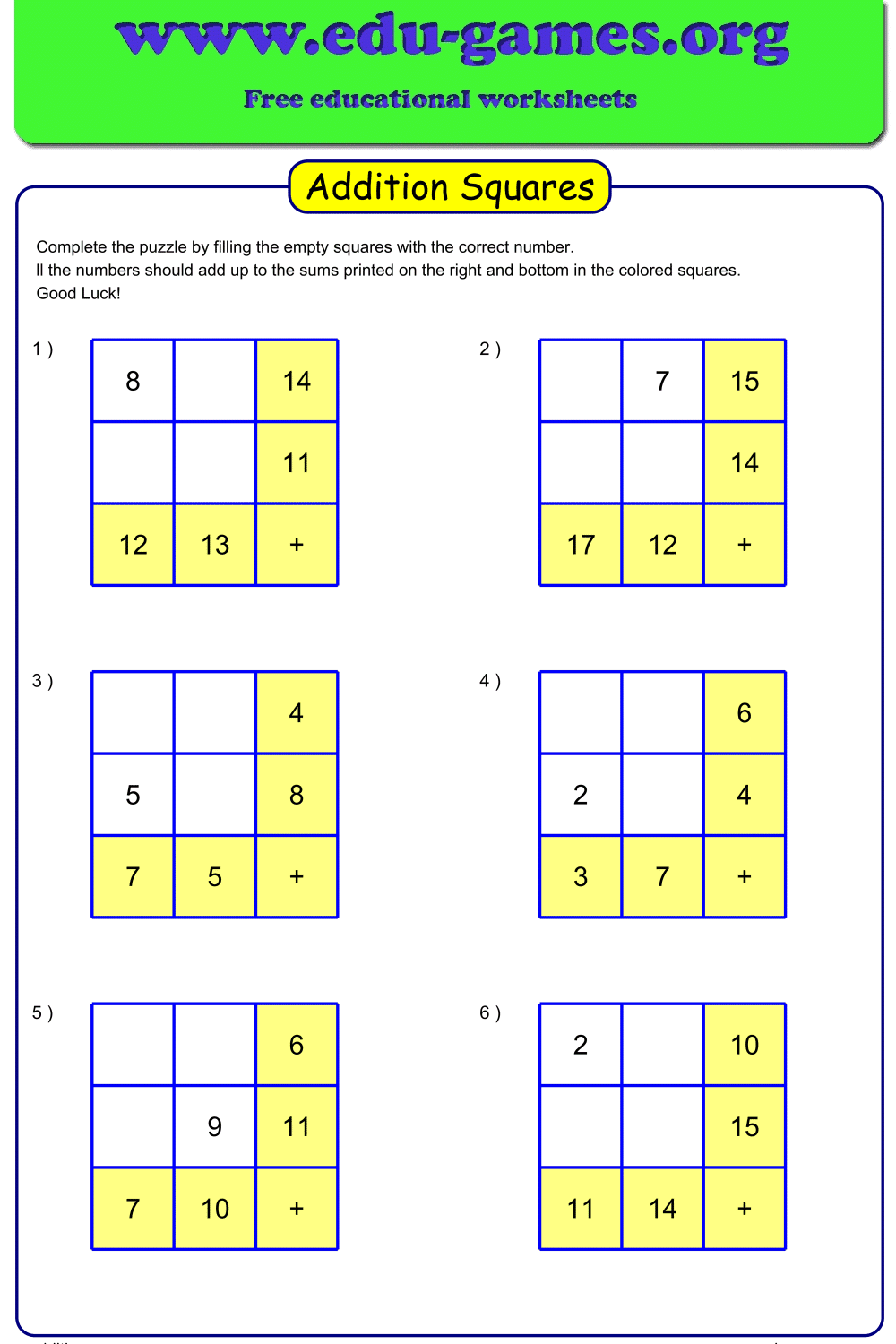
What Are Addition Square Puzzles?
Addition squares are logic puzzles where you fill a grid so that every row and every column adds up to the total shown in the coloured square at the end of that row or column. Some cells contain pre-filled numbers as starting clues; the rest must be deduced from the constraints.
The key challenge is that each cell contributes to two totals at once — its row and its column. This means every number you place constrains what can go in the remaining cells. Students must think logically, not just calculate, to find the solution.
The generator works for Grades 1–6: a 2×2 grid with small sums is ideal for early learners, while a 3×3 grid with no hints and larger numbers becomes a genuine logical reasoning challenge for Grade 5–6 students.
How to Use the Worksheet Maker
- Choose grid size: Select 2 for a 2×2 grid (four cells) or 3 for a 3×3 grid (nine cells). The 3×3 grid is significantly harder — each answer constrains two other unknowns, making the deduction chain much longer.
- Set digits in puzzle: Choose 1 for single-digit numbers in the grid cells (suitable for Grades 1–4) or 2 for two-digit numbers (Grade 5–6). Two-digit numbers increase the arithmetic demand alongside the logic.
- Max result 10: Set to Yes for Grade 1–2 students to keep all row and column totals within 10 — the range students typically know by heart. Set to No to allow larger totals for older students.
- Show number of answers: Set to 1 to pre-fill one cell as a scaffold, giving students a concrete starting point. Set to 0 for a blank grid where every cell must be deduced from the row and column totals alone.
- Edit the instructions: The instruction text appears at the top of the printed worksheet. Adjust the wording to match your class reading level or lesson focus.
- Generate and download: Click Create to generate a new puzzle, then download it as a PDF. The solution page is included automatically.
Why Use Addition Square Puzzles?
- Combines arithmetic with logical thinking: Unlike a standard drill worksheet, an addition square cannot be solved by calculation alone. Students must identify which cells are constrained enough to solve first, then use those answers to unlock the rest — the same reasoning process used in algebra.
- Scales across six grade levels: The same generator produces work appropriate for Grade 1 (2×2, max 10, 1 hint) through Grade 6 (3×3, two-digit numbers, no hints). There is no need to find a different resource for different ability groups — just change the settings.
- Self-checking format: If a student's numbers do not produce the correct row and column totals, they know immediately that something is wrong. They must find and fix the error before the puzzle works — this builds the habit of verifying answers against multiple conditions.
- Low-stakes engagement: The puzzle format reduces the anxiety associated with timed arithmetic tests. Students who struggle with drill worksheets often stay more focused when there is a concrete goal — completing the grid — rather than a list of problems to finish.
- Unlimited unique puzzles: Every click generates a different random puzzle within the settings you choose. Use a new one each lesson for warm-up, classwork, or early-finisher tasks.
Addition Squares Puzzle — Frequently Asked Questions
What is an addition square puzzle and how does it work?
An addition square is a grid of numbers where the values in each row and each column must add up to the total shown in the coloured square at the end of that row or column. Some cells are pre-filled as clues; the rest must be worked out. Because a single cell affects both its row total and its column total, students cannot guess at random — every answer must satisfy two constraints simultaneously.What grade levels is the addition square puzzle suitable for?
The generator covers Grades 1–6. For Grade 1–2, use a 2×2 grid with "Max result 10" set to Yes and 1 answer shown — this keeps numbers small and gives students a scaffold to start from. For Grade 3–4, use a 2×2 grid with slightly larger sums. For Grade 5–6, switch to a 3×3 grid with 0 answers shown and 2-digit numbers — this is primarily a logical reasoning challenge with arithmetic at its core.What is the difference between a 2×2 and a 3×3 grid?
A 2×2 grid has four cells to fill and two row totals plus two column totals. This is accessible for early learners and focuses on adding small numbers correctly. A 3×3 grid has nine cells, three row totals, and three column totals — each correct answer now constrains two remaining unknowns, making the logical deduction chain significantly longer and more demanding.What does the "Max result 10" option control?
"Max result 10" caps every row and column total at 10. This keeps all arithmetic within the range that Grade 1–2 students are expected to know by heart, so they can focus on the logical side of the puzzle without being slowed down by unfamiliar sums. Turning it off allows totals beyond 10, which is appropriate for Grade 3 and above.How does the number of answers shown affect difficulty?
Showing 1 answer pre-fills one cell in the grid, giving students a fixed starting point for their deductions. Showing 0 answers means the entire grid must be worked out from the row and column totals alone — every value must be found by reasoning about what number satisfies both its row and column constraint. For the 3×3 grid with 0 answers, this produces a genuine logic puzzle rather than a straightforward arithmetic exercise.What skills do addition square puzzles develop alongside arithmetic?
Addition squares train logical deduction — students must identify which cells are constrained enough to be solved first, then propagate those results to unlock other cells. This mirrors algebraic thinking: treating an unknown cell as a variable and working backwards from the known totals. Regular practice with these puzzles builds the habit of checking answers against multiple conditions, which transfers directly to written arithmetic and later algebra.Share these free addition squares puzzle worksheets