Sentence Games & Worksheet Generators for Kids
Sentence games are educational activities that help children practice sentence structure, grammar, and reading comprehension. On edu-games.org, these games work as printable worksheet generators for classroom and home learning.
Teachers and parents can enter their own sentences, adjust the difficulty level, and instantly download ready-to-use worksheets. No registration, software, or student devices are required.
These sentence games are ideal for primary and elementary students and support language skills such as word order, punctuation, and logical thinking.
Sentence Games for Kids
Fallen Phrase
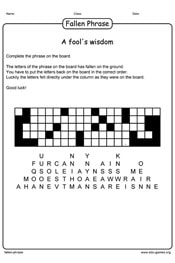
The letters of a phrase have fallen of the board. The letters are printed under the board in the correct column. The task of the student is the find the correct row on the board for the letters to reconstruct the saying.
Fill in the Blanks
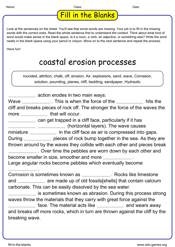
A Fill in the Blanks activity is a practice exercise where learners must complete a text by adding the missing words. These words are selected and removed to focus on a specific language point. The game includes options to adjust the difficulty level, making it easier or more challenging.
Gap Fill
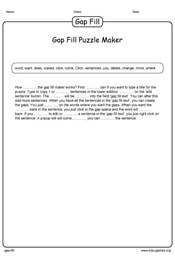
A gap-fill is a practice exercise in which learners have to replace words missing from a text. These words are chosen and removed in order to practise a specific language point. The game has some options to make it more difficult or easier.
Paragraph Scrambler
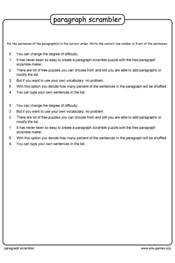
The paragraph scrambler will scramble all the paragraphs your enter. The students have to write the correct line number in front of all the sentences. The order of the paragraphs stays the same.
Secret Code
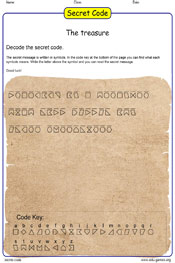
The students have to decode the secret message, with the help of the code key. The message is printed in all kinds of symbols.
Sentence Bricks
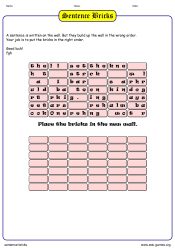
Can you rebuild the wall? Place the bricks in the correct position to rebuild the wall. If you do this, you also find out what was written on the wall.The sentence is broken down into separate bricks. There are 3 letters (including spaces, commas, dots etc.) written on every brick. The goal is to build up the wall again in the correct order. Then it will reveal the sentence.
Sentence Scrambler
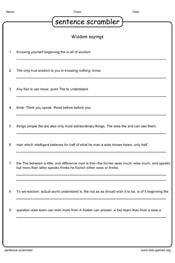
Enter your sentences and set the degree of difficulty. The sentence scrambler will scramble all the sentences and create a free worksheet.